
Understand a failed run.
Start with the failed job and its evidence. The released native Mac app keeps Results, Logs, Performance and Artifacts together in one run.
Reproduce the right run
Choose the workflow, event, inputs and scope that match the failure. A PR-specific condition may need an event payload; a local push event cannot supply every PR field. Use Workflow mode for the workflow’s normal conditions, or Local jobs for a deliberate subset.
If you are starting from a hosted failure, compare the runner image and tool versions too. A missing executable in a local container can be an environment difference. The setup guide covers your first run.
Read results, then the logs
Open the run’s Results tab. Supported summaries from Pest/PHPUnit, Jest/Vitest, pytest, XCTest and Cargo can supply test totals. Uploaded JUnit XML adds detailed test results. Runnr groups repeated failures and shows source and log links when the output provides them.
Scroll to explore. Open the full-size view for details.
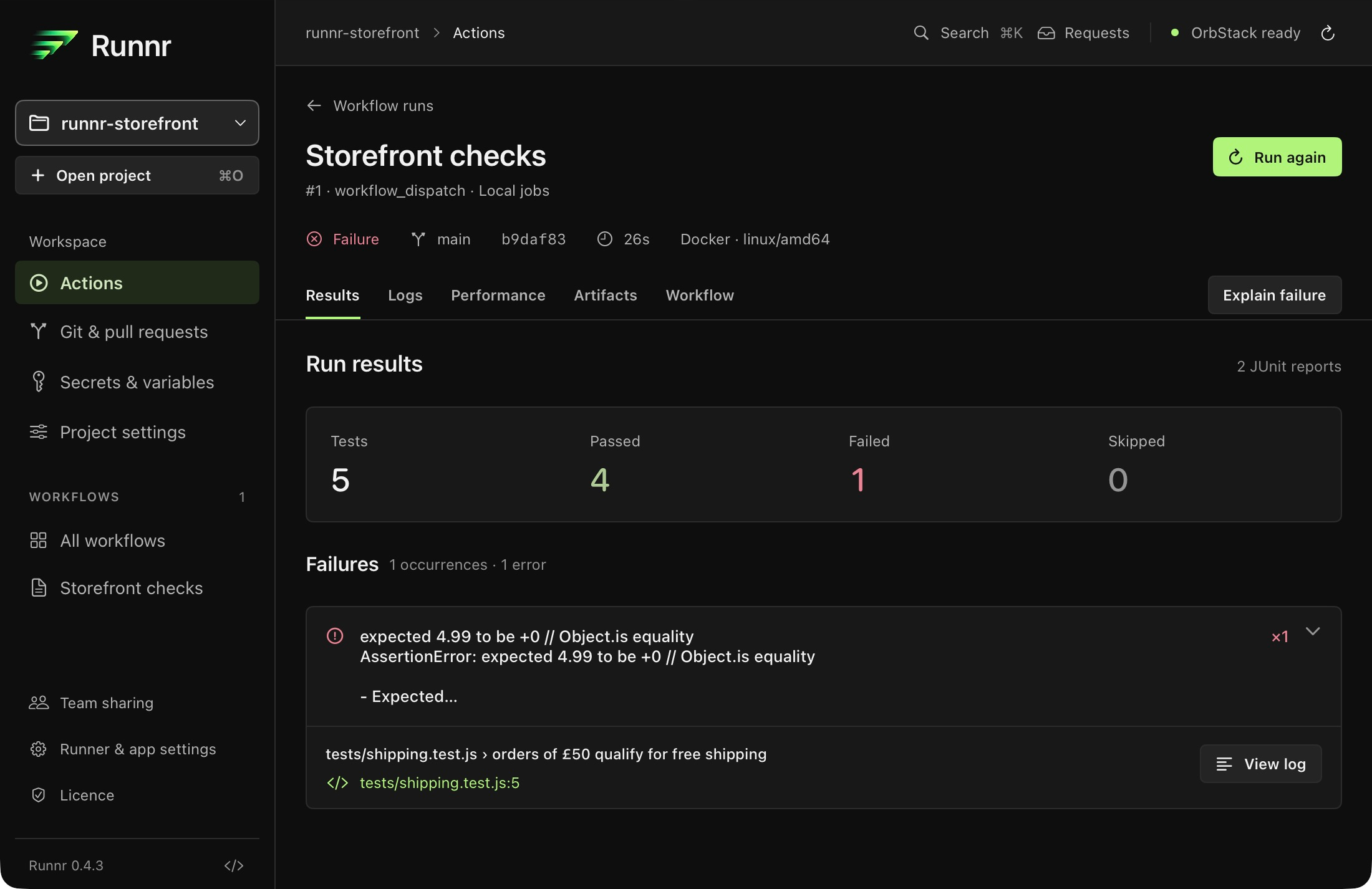
Supported failure diagnostics include Go test output, Python tracebacks, TypeScript, Swift, C#, C/C++, Java compiler errors, ESLint stylish output and GitHub ::error annotations. Go failure details do not provide complete totals; upload JUnit for those. Build and setup errors remain visible alongside test reports.
Unknown output does not produce estimated counts. If a step runs several suites, upload JUnit reports rather than relying on a single summary. Each uploaded report contributes its own totals; identical reports are noted.
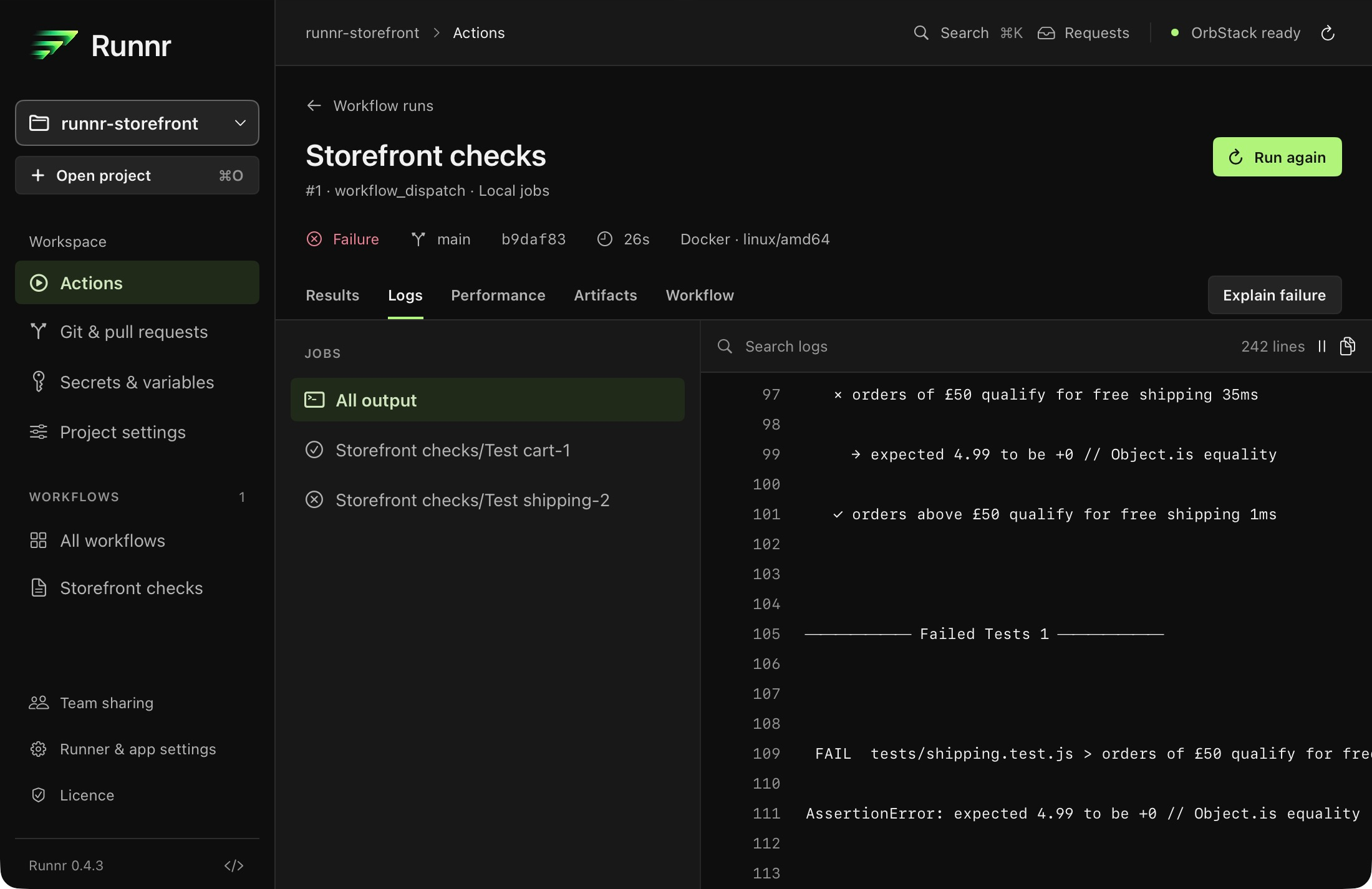
Choose View log to return to the original evidence. In Logs, select a job, search the output and inspect surrounding lines. Follow live output while a run is active; retained lines remain available afterwards.
Scroll to explore. Open the full-size view for details.
Native debugging scope
Runnr 0.4.3 investigates failures through results, searchable logs and source links. The Electron dependency graph, interactive step debugging, breakpoints, watch controls and preset controls are not included in this native release. Older instructions for pausing a job do not apply.
When compatible Apple Intelligence hardware, macOS 26 or later and an available on-device model are present, Explain failure can provide an optional explanation. Supported diagnostics and the original logs remain useful without it; check the evidence before acting on a generated explanation.
Fix and review the next run
Make the change in your working tree, then choose Run again. Runnr restores the previous event, selected jobs, inputs and custom payload for review. Masked values need re-entry; host trust is not retained. Review the setup before starting.
The CLI and MCP interface also support rerun-failed requests for failed jobs and supported matrix selections. Copy the connection details from Runner & app settings and keep the app open. Requests need desktop review by default; deployment approval remains separate. Automatic failed-job retries are not part of the native release.
Keep the result in context
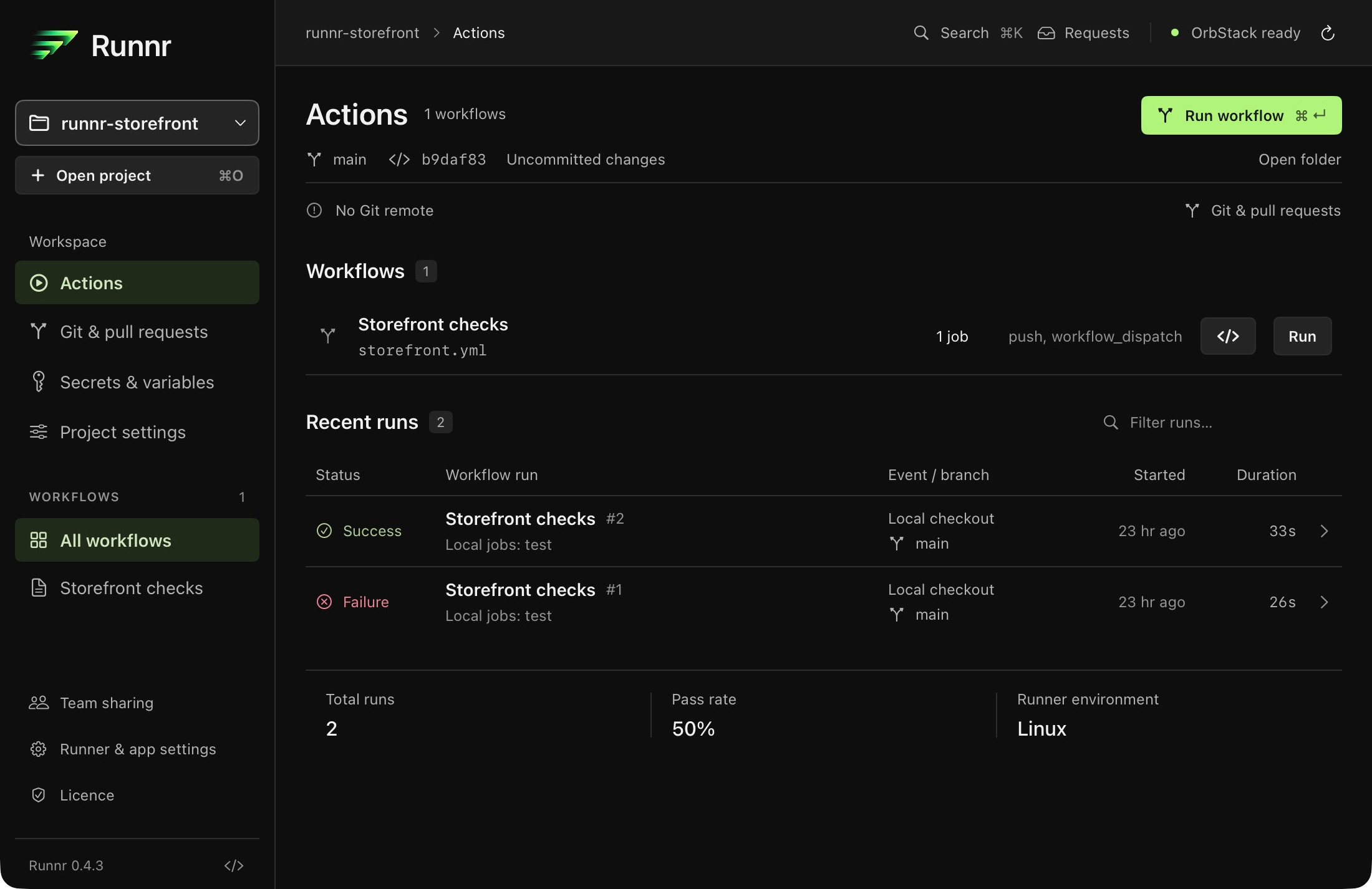
In the sample, changing total > 50 to total >= 50 fixes the boundary bug. The next real run passes all five tests. Both attempts remain in history, so the fix does not erase the original evidence.
Scroll to explore. Open the full-size view for details.
Use Performance for elapsed, setup, reported test and per-step timings. Comparisons flag differences in workflow source, inputs, commits and execution settings. Cache state and system load are not controlled; a timing change alone does not establish its cause.
Enable local artifacts in Project settings and use actions/upload-artifact@v4 for reports and output files. The Artifacts tab can browse ZIP entries, preview supported files, reveal them in Finder and export copies by dragging.
Once the failure is resolved, push when ready and run the hosted checks your repository requires. Local compatibility limits still apply. A passing subset is not a pass for every job.