A desktop home for GitHub Actions

Run your CI.
Before you push.

Your workflows, running on your machine. Debug the failing step,
get your build green, and push with a little more confidence.

RunnrExample workflow
web-app/ActionsLocal runner

Continuous integration

.github/workflows/ci.yml
feature/new-checkoutUncommitted changes included
testCompleted
1$ npm test
2✓ auth.test.ts (6 tests)
3✓ workflow.test.ts (12 tests)
4Test Files 2 passed (2)
5Tests 18 passed (18)
All jobs passed23 seconds

Less waiting.
More building.

Edit locally
Run your workflow
Fix. Repeat. Push.

All the context.
Right where you work.

CI should feel like part of your development loop. Runnr brings the workflow, the run and the reason it failed into one workspace.

Pause at the problem.

Set a breakpoint before a workflow step. Inspect its environment and captured contexts, check your watches, then step forward or continue.

Step debugging
Paused before step 3unit-tests
1- name: Install dependencies
2 run: npm ci
- name: Run testsPaused
4 run: npm test
matrix.node22
Next stepContinue

Retry the bit that broke.

Re-run failed matrix shards and their required dependencies. Set automatic retries and keep every attempt in history.

Focused reruns
NodeResult
20Passed
22Retrying failed shard
24Passed

Keep the passing jobs. Focus on the failure.

Every job has a place.

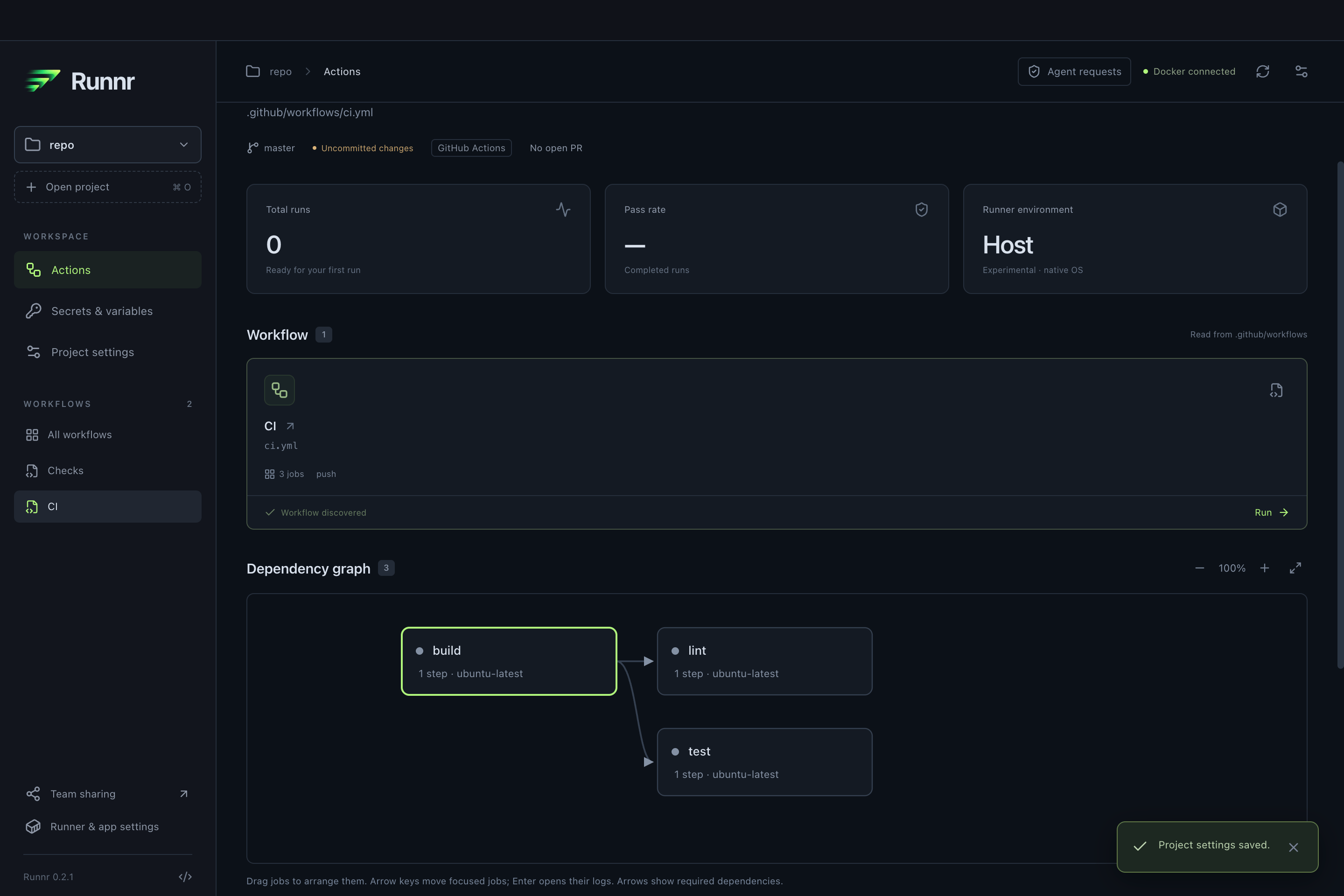
Follow dependencies in a visual graph. Pick the jobs and matrix combinations you actually need to run.

Workflows & matrices

Secrets, kept out of sight.

Store credentials in the OS vault. Import GitHub variables and keep configured secrets masked in logs.

Secrets & variables

Go make that coffee.

Desktop alerts tell you when a run finishes. Jump straight back to its result with a click.

Completion notifications

A proper workspace.
For your actual workflows.

No wall of terminal output to untangle. Explore dependencies, configure a run and come back to a result you can use.

From repo to run.
Without the detour.

Start with the workflows you already have. Keep the feedback loop on your machine until you’re ready to push.

  1. 1

    Open your repository.

    Runnr discovers workflows, jobs, inputs and matrices from your .github/workflows directory.

    ~/projects/your-next-big-thing
  2. 2

    Choose your run.

    Pick an event, configure your secrets, and select jobs. Save a preset for the next time around.

    pushNode 22Docker
  3. 3

    Make it green.

    Follow live logs, inspect a paused step and retry failures. Push when you’ve got the feedback you need.

    Ready for the next commit

Your agent can run it.
You stay in control.

Give your coding agent a local CI feedback loop with Runnr’s CLI and MCP interface. Review run requests in the desktop app, and keep deployment approvals in your hands.

Request workflow runsRead redacted logsRetry failed jobs
Local agent access
agentRun the test workflow for this change.
runnrRun request ready for review.
Your approval comes first.Review the workflow and inputs in Runnr.
youApprove the local run.
runnrLogs and results are available to the agent.
Runnr

Make room for a
better dev loop.

Your workflows. Your machine.
A little less friction between the two.

Runnr for MacApple Silicon & Intel
Launch offer · 33% off
£19.99£29.99

One-time purchase. No per-run fees.

  • Local workflow and matrix execution
  • Step debugging, live logs and artifacts
  • Presets, retries and desktop notifications
  • Encrypted credentials and CLI / MCP access

We’re preparing the launch. Purchasing will be available here when the store opens.

A few things
worth knowing.

Local CI, with the details out in the open.

What do I need to run Runnr?

A Mac, Git, and a repository with GitHub Actions workflows. For Linux jobs, start Docker Desktop, OrbStack or another Docker-compatible engine. Runnr can install its pinned act runner from inside the app. Apple Silicon and Intel Mac builds are signed and notarized.

Does it use my existing workflow files?

Yes. Runnr discovers the workflows in .github/workflows and uses act to execute them locally. Your repository files stay unchanged. You can run a complete workflow or select local build and test jobs, and Runnr shows any adaptations in the generated workflow.

Will local runs behave exactly like GitHub-hosted CI?

Local runs give you earlier feedback, but they cannot reproduce every hosted feature. Runner tooling, OIDC, GitHub environment policies and some other behaviours differ. Runnr surfaces compatibility notes; keep hosted checks for final verification where you need them. Host mode is experimental.

Where do my workflows, logs and secrets go?

Run history and logs are stored locally, and saved secrets use the OS credential vault. Workflow steps can access the network and any credentials you supply. Optional GitHub integration can publish a commit status and a redacted result excerpt to your pull request; full logs stay local.

Can I use it with my coding agent?

Yes. Runnr includes a JSON CLI and an MCP interface for discovering workflows, requesting runs, reading redacted logs and retrying failures. Requests go through the desktop approval inbox by default. Deployment approvals still need you.

Is Runnr a subscription?

The launch offer is a one-time purchase of Runnr for Mac. There is no per-run charge from Runnr. Workflows may still call third-party services that have their own costs. Checkout will show the final price and applicable taxes before purchase.