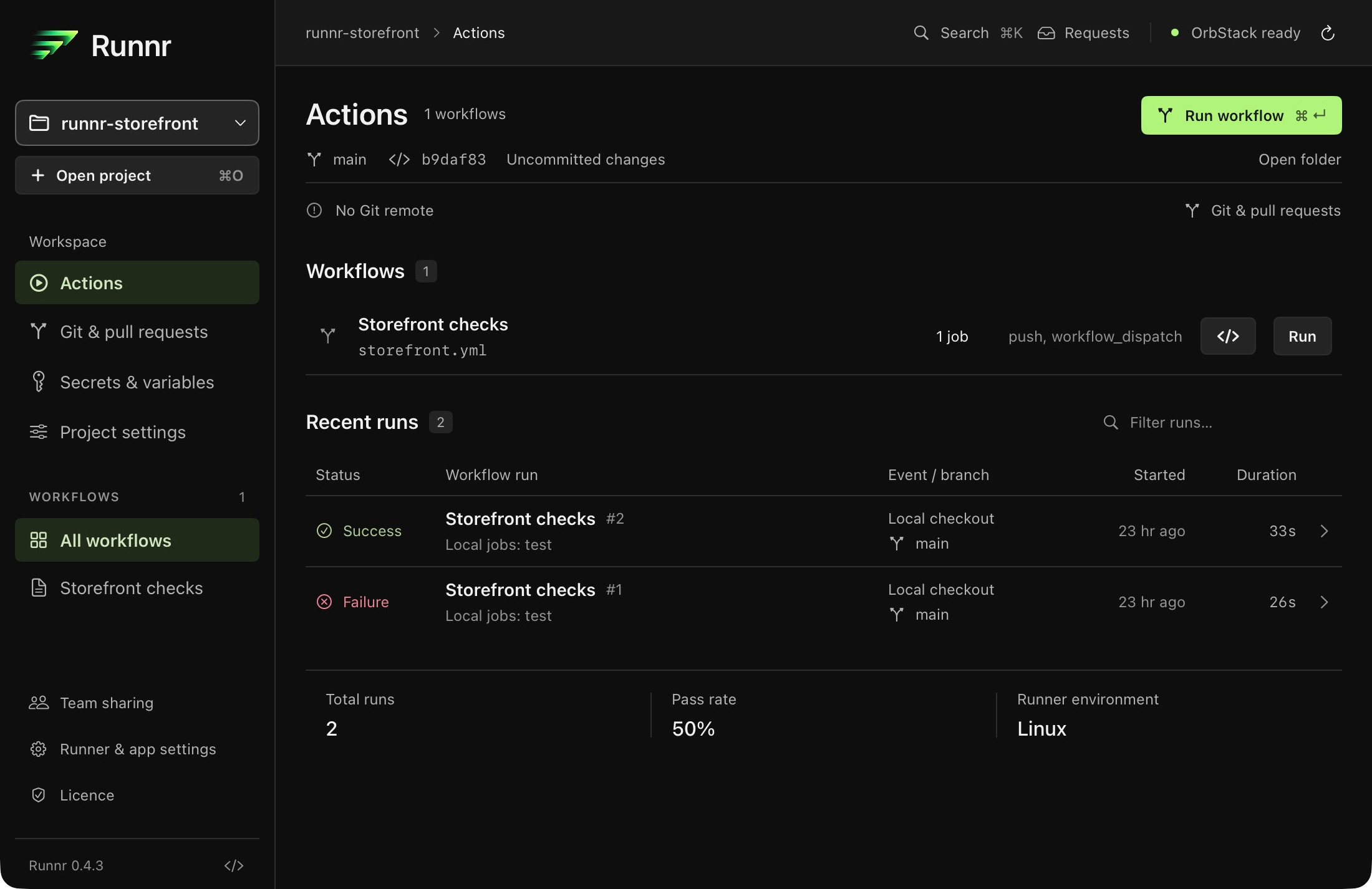
Scroll to explore. Open the full-size view for details.
A local run. A real test failure. Everything you need to follow it.
Runnr 0.4.3 for Mac. A local run, a real test failure and the next step in reach.
Your workflow. Your working tree.
Keep the checks you already maintain. Bring the feedback closer to the code you’re changing.
Open your repository
Runnr finds your .github/workflows files. There’s no second set of checks to maintain.
Choose what to run
Run the whole workflow or selected local jobs, including static matrices. Test uncommitted changes by default.
Follow the result
Read the logs, find the failure and review your next run. Push when you’re ready for hosted verification.
A familiar workflow. A shorter loop.
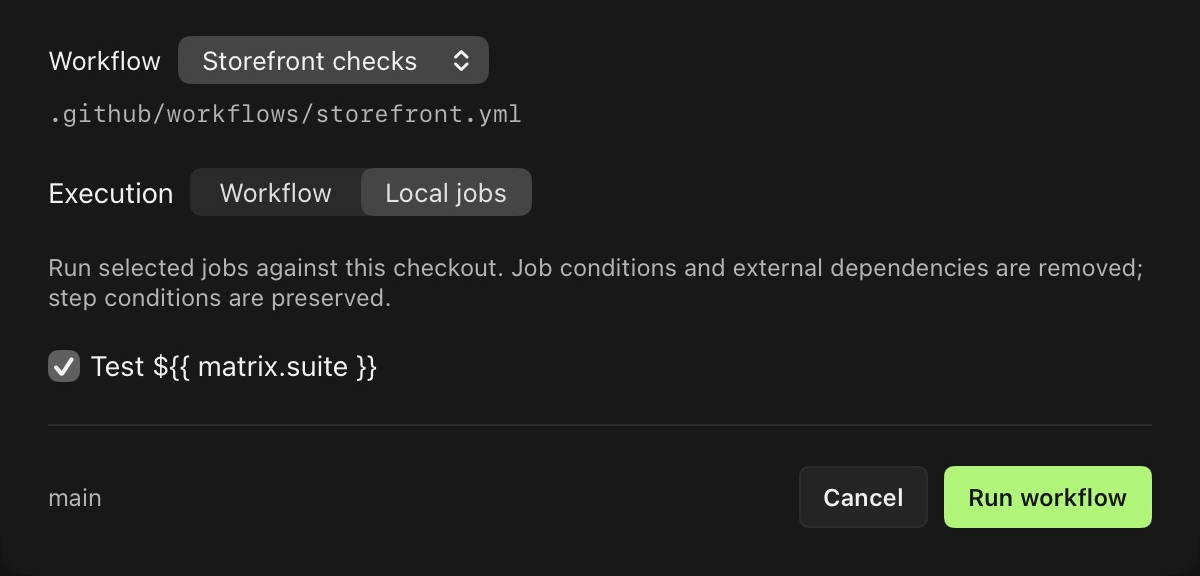
Choose your event and scope in the native run sheet. Local jobs let you concentrate on build and test checks without running every GitHub-specific job.
Runnr saves a separate execution snapshot. Your workflow file stays as you wrote it.
Scroll to explore. Open the full-size view for details.
Choose the workflow or just the local jobs you need.
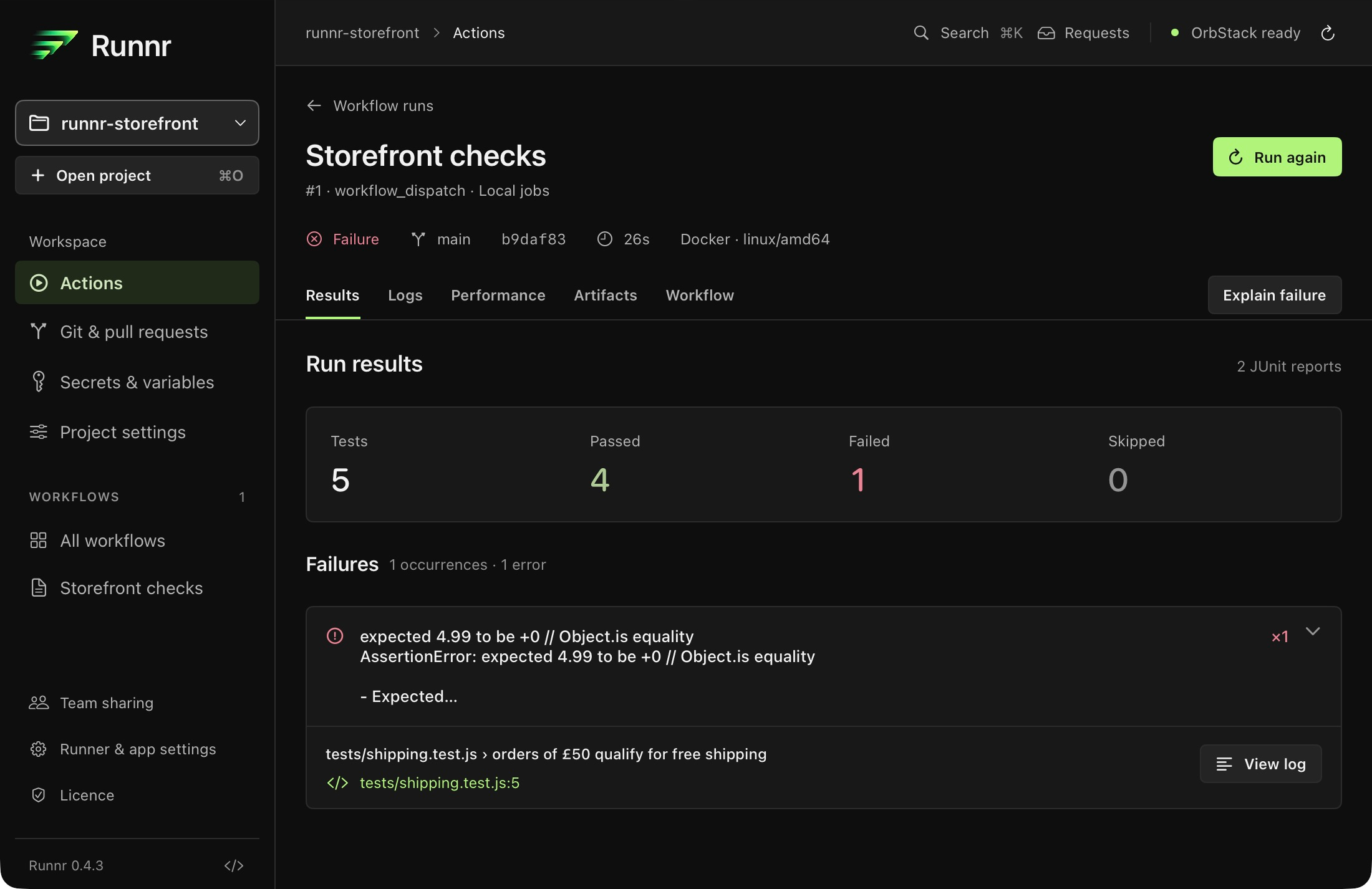
Find the reason. Keep the context.
A failing assertion, its source and the surrounding output. Stay with the evidence from the same run.
Test feedback from Pest/PHPUnit, Jest/Vitest, pytest, XCTest and Cargo, plus JUnit reports. Supported Go failures and compiler diagnostics stay close to their logs.
Come back to the run, take its files with you and compare what your machine actually measured.
Measure your own runs
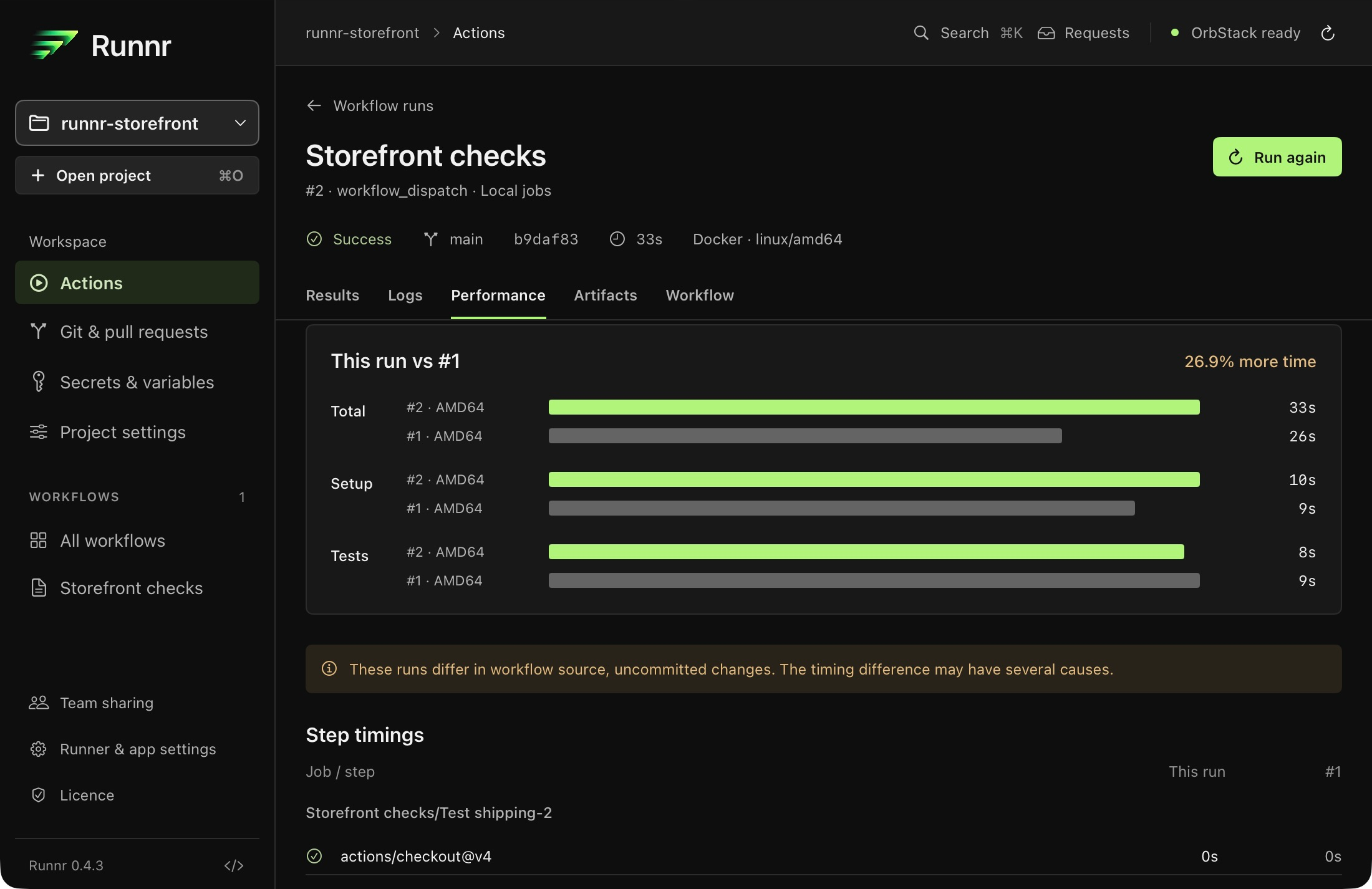
Compare elapsed, setup and reported test time across history, including ARM64 and AMD64. Runnr flags changes in source, inputs or environment that can affect the comparison.
Scroll to explore. Open the full-size view for details.
Recorded timings, with differences between runs called out.
Local timings are observations. Cache state and system load are not controlled; a comparison is not a promised speedup.
Scroll to explore. Open the full-size view for details.
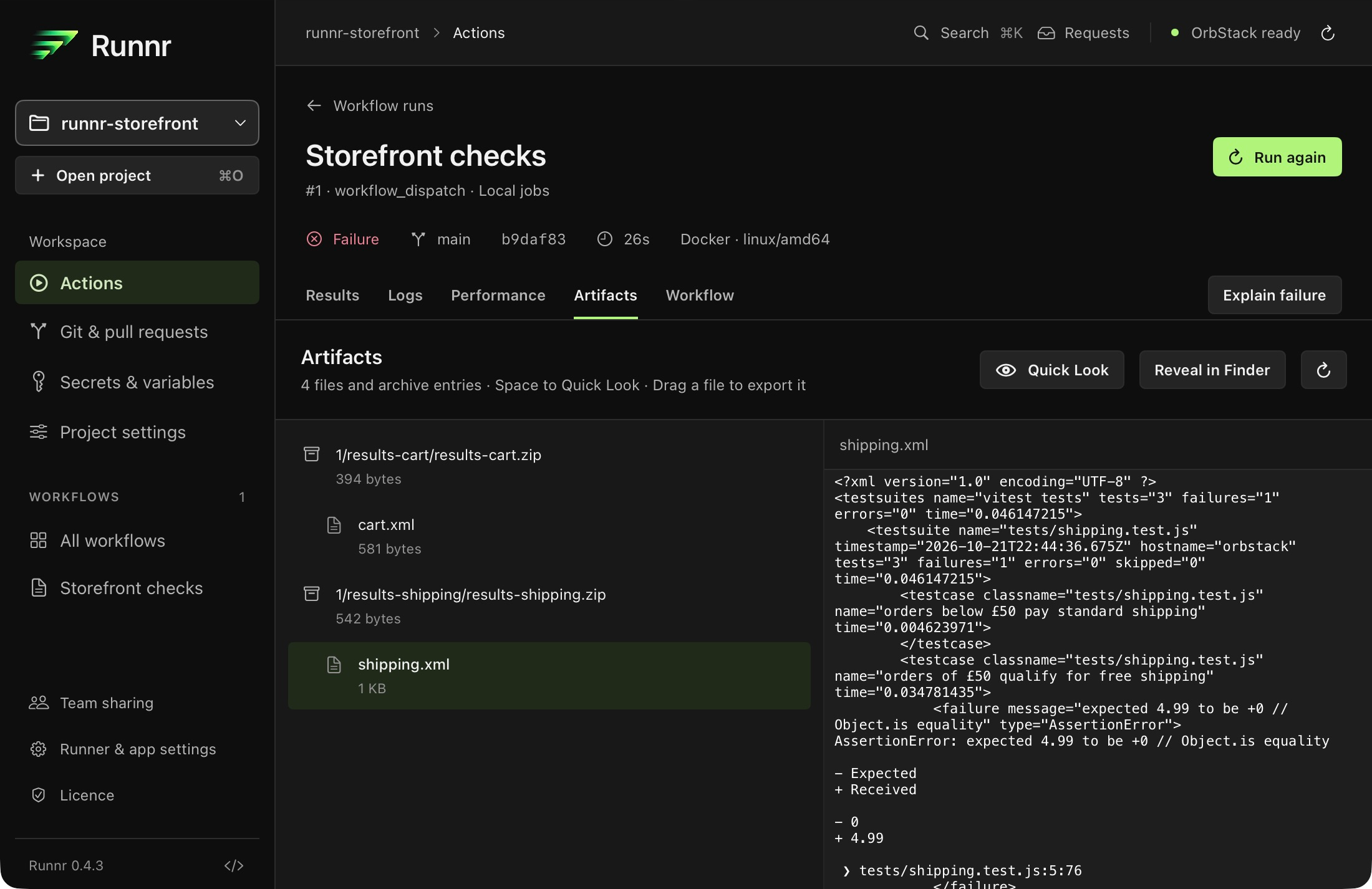
The sample’s JUnit report, collected as a local artifact.
More than the final line
Enable local artifacts for actions/upload-artifact@v4. Browse ZIP entries, preview supported files with Quick Look, reveal them in Finder or drag copies into another app.
Pick up where you left off
Runs, logs and results stay in local history. Runnr restores your project, selected run, tab and log position when you return. Run again brings the previous setup back for review.
Leave a workflow running. Come back with your context intact.
Scroll to explore. Open the full-size view for details.
The failure and the fixed run, retained together.
Keep working in the background
Close the window and let the run continue. Check its active step and elapsed time in the menu bar, open live logs or cancel. The Dock shows progress.
Know when it needs you
See pending deployment approvals and get completion notifications with actions to view results or prepare another run. Notifications follow your macOS permissions.
Start where you already are
Find projects and workflows in Spotlight. Use Shortcuts to open the latest failure, read a result or prepare a run for review. Spotlight actions require macOS 26+.
Leave the Mac to run
Runnr prevents idle system sleep while a workflow is active. Your display can still sleep. Your workspace is ready when you return.
Local, with clear boundaries.
Your tools can work together without losing sight of credentials, permissions or the scope of a local check.
Secrets stay protected
Saved credentials are encrypted on your Mac, with a Keychain-protected key. Configured secrets are redacted before logs are displayed or saved.
Bring your team’s setup
Import GitHub repository and environment variables as local snapshots. Share settings or passphrase-encrypted team bundles. GitHub secret values must be supplied locally.
Connect GitHub and your agent
Publish eligible commit statuses and redacted PR comments. Use CLI or MCP for runs and results, with desktop review by default and separate deployment approvals.
Built around act
Powered by the open-source act runner, usually inside Docker. Local runs give earlier feedback; GitHub’s hosted environment, OIDC and reviewer policies still have differences.
Register or log in and verify your email, then continue to Stripe-hosted Checkout. Final price and applicable tax shown at checkout. Licence keys arrive by email and stay in your account. Latest downloads require current update access. Renewal is optional, with no automatic renewal payment.
A Mac running macOS 13 or later, Git, a repository with GitHub Actions workflows and an activated Runnr licence. Start Docker Desktop, OrbStack or another Docker-compatible engine for Linux jobs. Install the managed act runner from Runner & app settings.
Do I need to rewrite my workflows?
No. Runnr discovers your .github/workflows files. Run a whole workflow or selected local jobs, including static matrices. Local jobs mode removes unselected jobs, their dependencies and selected jobs’ top-level conditions; step conditions remain. Running writes a separate execution snapshot, leaving the workflow in your checkout unchanged.
Can I test changes I haven’t committed?
Yes. Working-tree checkout includes your local edits by default. Project settings can instead allow a remote actions/checkout checkout. A passing local subset only verifies the selected scope, with the environment and inputs used in that run.
What failures can Runnr explain?
Results reads supported test summaries and uploaded JUnit XML. It also groups supported compiler, lint and runtime diagnostics, with source and log links when available. Pest/PHPUnit, Jest/Vitest, pytest, XCTest and Cargo summaries can supply totals. Go failures are supported; upload JUnit for complete Go test totals. Unknown output stays in the logs without invented counts. Optional on-device explanations require compatible Apple Intelligence hardware and macOS 26 or later.
Does a local pass guarantee a pass on GitHub?
No. Local container images, tooling, event context and GitHub-hosted features can differ. OIDC, environment policies and token permission enforcement are among act’s limitations. Keep the hosted checks your repository requires. Runnr does not disable or cancel workflows triggered by a push.
Where do credentials and logs go?
Saved credentials are encrypted on your Mac, with the encryption key protected by Keychain. Runnr redacts configured secrets before displaying and retaining logs. History and artifacts stay local. Workflow code can still use the network and the credentials you supply. Optional GitHub integration can publish eligible commit statuses and PR comments with redacted failure excerpts. Licensing and update checks also use the network.
Can I import secrets and share a team setup?
Import repository or environment variables from GitHub as a local snapshot. GitHub only exposes secret names, so you must supply secret values locally. Share settings without secrets, or export an encrypted .runnr-team bundle protected by a passphrase. Protected secrets require authentication; importing a bundle does not start a workflow or enable imported automation.
Can I use Runnr with my coding agent?
Yes. The CLI and MCP interface can list workflows, request runs, read redacted logs, wait for results and request failed-job reruns. Keep Runnr open and copy the connection details from Runner & app settings. Requests need desktop approval by default. Project access can be enabled explicitly; deployment approvals and protected-secret authentication remain separate.
How do deployment approvals work?
Recognised deployment jobs and jobs you explicitly mark for approval wait before starting, including each matrix shard. Approve or reject them in Runnr. These are local approval gates; they do not reproduce GitHub environment reviewer policies.
Can runs keep going in the background?
Yes. Closing the window leaves Runnr and the workflow running. The menu bar shows the active step and elapsed time, opens logs and recent results, and lets you cancel. The Dock shows progress. Runnr prevents idle system sleep during a run while allowing display sleep. Completion notifications require macOS notification permission.
What works with Spotlight, Shortcuts and Raycast?
Spotlight indexes projects and workflows. Shortcuts can open a project, prepare or repeat a run, open the latest failure and read the latest result; preparation returns to the app for review. Spotlight actions require macOS 26 or later. Raycast extension source and Quicklinks can be exported from settings; Raycast Store availability is upcoming.
Are the old debugging tools included?
The published native Mac app is Runnr 0.4.3. Interactive step debugging, breakpoint/watch controls, preset controls, the Electron dependency graph and automatic retries are not included. Use Results, searchable logs and reviewed runs to investigate failures. Expanded Git tools and Raycast Store availability are upcoming.
Is Runnr a subscription?
No. An individual licence costs £19.99 for one person on up to 3 Macs. Includes one year of updates. Runnr keeps working afterwards. Renew updates for £19.99. Renewal is optional, with no automatic renewal payments or per-run charges from Runnr. Third-party services used by your workflows may have their own costs.
How do purchase, download and activation work?
Register or log in and verify your email in the customer portal, then continue to Stripe-hosted Checkout. Licence keys arrive by email and remain in your account. Download the universal Mac installer from the portal and enter your key in Runnr. Initial activation needs internet access; successful validation allows up to 7 days of offline use between checks.
What happens after a year?
Includes one year of updates. Runnr keeps working afterwards. Renew updates for £19.99. Renewal is optional. Each team seat also includes a year of updates, with optional renewal at £19.99 per seat. Downloading the latest installer and receiving new updates require current update access.
Before your next push.
Your existing GitHub Actions. A native workspace on your Mac.